Your router,
in one calm
YAML file.
Pebble turns a small FreeBSD box into a router you describe in a single declarative file. It compiles to native PF, Unbound, dnsmasq and WireGuard, applies every change as a transaction that rolls itself back if you don't confirm, and then quietly gets out of the way.
The golden loop
Change anything.
Break nothing.
Every change, from a port forward to a new VPN tunnel, follows the same four steps. That's the whole product. Everything else is detail.
Edit
pebble.yamlOne file describes the whole router. Misspelt or unknown settings are errors, never silently ignored.
Plan
pebble plan --diffSee every generated file that would change, line by line, with warnings about anything risky. Nothing is touched.
Apply
pebble applyValidated with FreeBSD's own tools, snapshotted, applied atomically and health-checked.
Confirm
pebble confirmStill reachable? Keep it. Every success becomes a numbered generation you can return to.
SSH dropped, the firewall locked you out, the power failed, you wandered off for a cup of tea. Three independent mechanisms — a timer, a once-a-minute watchdog and a check at boot before the network starts — restore the last working configuration. None of them depend on your session, your browser, or even the pebble process.
Gets out of the way
Delete the binary.
The router keeps routing.
Pebble is a configuration compiler, not a network stack. The operating system does the networking; Pebble configures and manages the operating system.
- Ordinary FreeBSD, all the way downPF, Unbound, dnsmasq, wg(4) and rc.conf. Services survive reboots without Pebble running.
- Deterministic, byte-for-byteThe same YAML always produces identical files: sorted, timestamp-free and diffable.
- Polite to your systemOne clearly marked block in rc.conf; everything else preserved byte for byte. Your own PF rules get their own anchor.
What Pebble looks after
Everything a home or
small-office router needs.
Deliberately small, so you can understand all of it.
Default-deny firewall
PF with explicit, ordered rules, port forwards, anti-spoofing and lint warnings for shadowed or dangerous rules. Forwarding only starts once Pebble's own ruleset is loaded.
Your own resolver
Recursive, DNSSEC-validating Unbound with local records, local zones and conditional forwarding. No ISP in the middle, and never an open resolver.
Ad & malware blocking
DNS blocklists over HTTPS with bounded memory. A failed download keeps the last good copy, so a broken list never breaks your DNS.
WireGuard site-to-site
Routed, never NATed tunnels using the kernel's wg(4). pebble vpn test walks every step and tells you exactly which one failed.
VPN exits with a kill switch
ProtonVPN, Mullvad and friends — for only the devices you choose. If the tunnel drops, they get nothing rather than leaking out the normal way.
Per-device Internet
Each device goes out via the WAN, a VPN exit, or not at all. Evaluated before your own rules, so nothing quietly lets it back out.
DHCP that behaves
dnsmasq with reservations, local names (nas.home.arpa) and honest lease status. Client-supplied names are never published in DNS.
Flight recorder
Records link flaps, driver watchdogs, gateway changes and tunnel drops — never your traffic or DNS queries — then explains outages from the evidence.
Diagnostics, not guesswork
pebble diagnose, route explain, firewall test and DNS tests answer “would this work, and why?” without sending a packet.
A web UI you can trust
Optional and off by default. Every change goes through review, plan and protected apply. Unprivileged process, argon2id, CSRF, strict CSP. No default password, ever.
pebble top
A live terminal dashboard that works happily over SSH and needs neither the web interface nor the agent.
Leaving OPNsense?
pebble import opnsense translates a config.xml export and writes an honest report of what did and didn't carry over.
A look inside
Four questions,
answered at a glance.
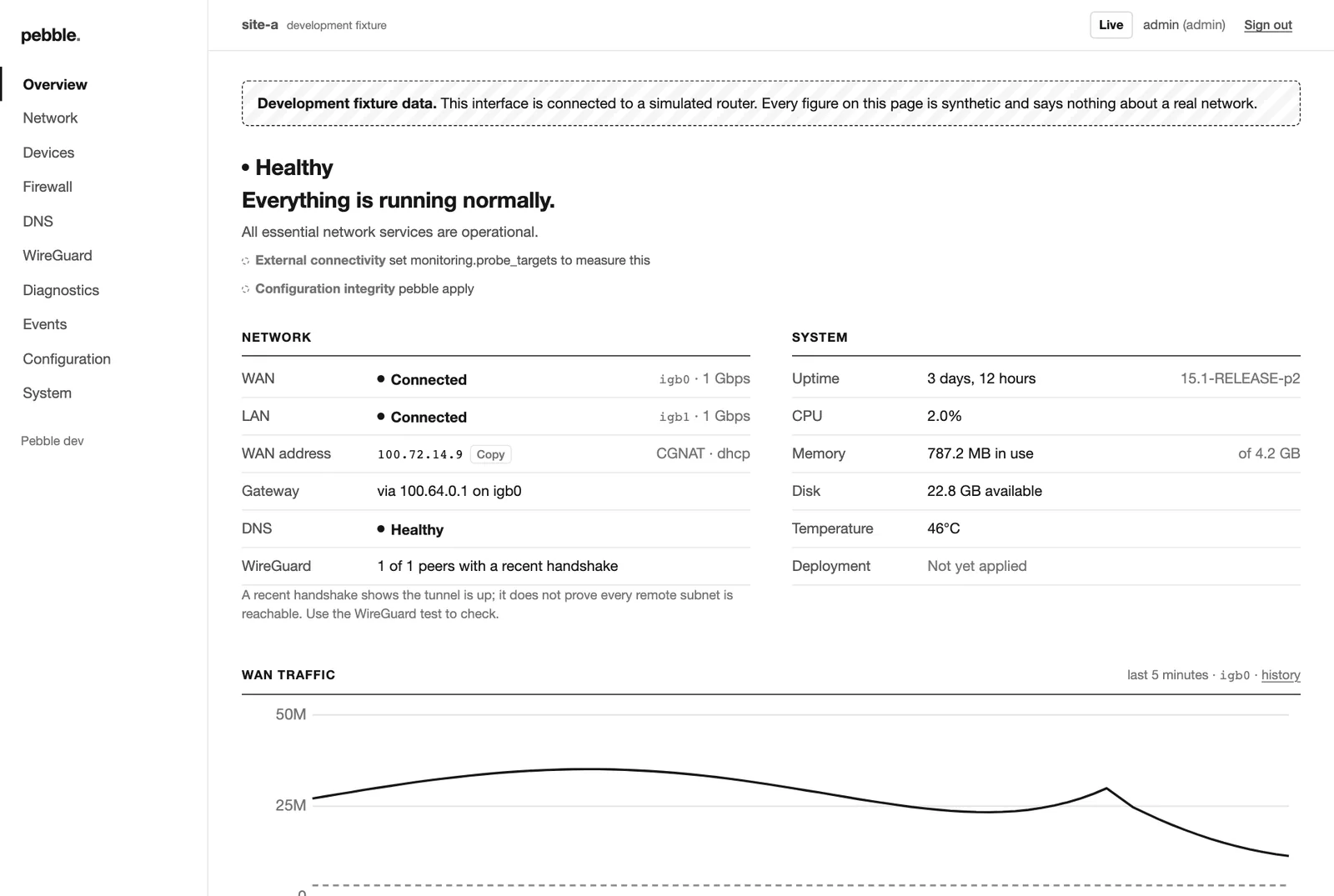
Is the Internet OK? Are services OK? Anything odd? Anything to do? The optional web interface is monochrome, fast and readable on a phone.
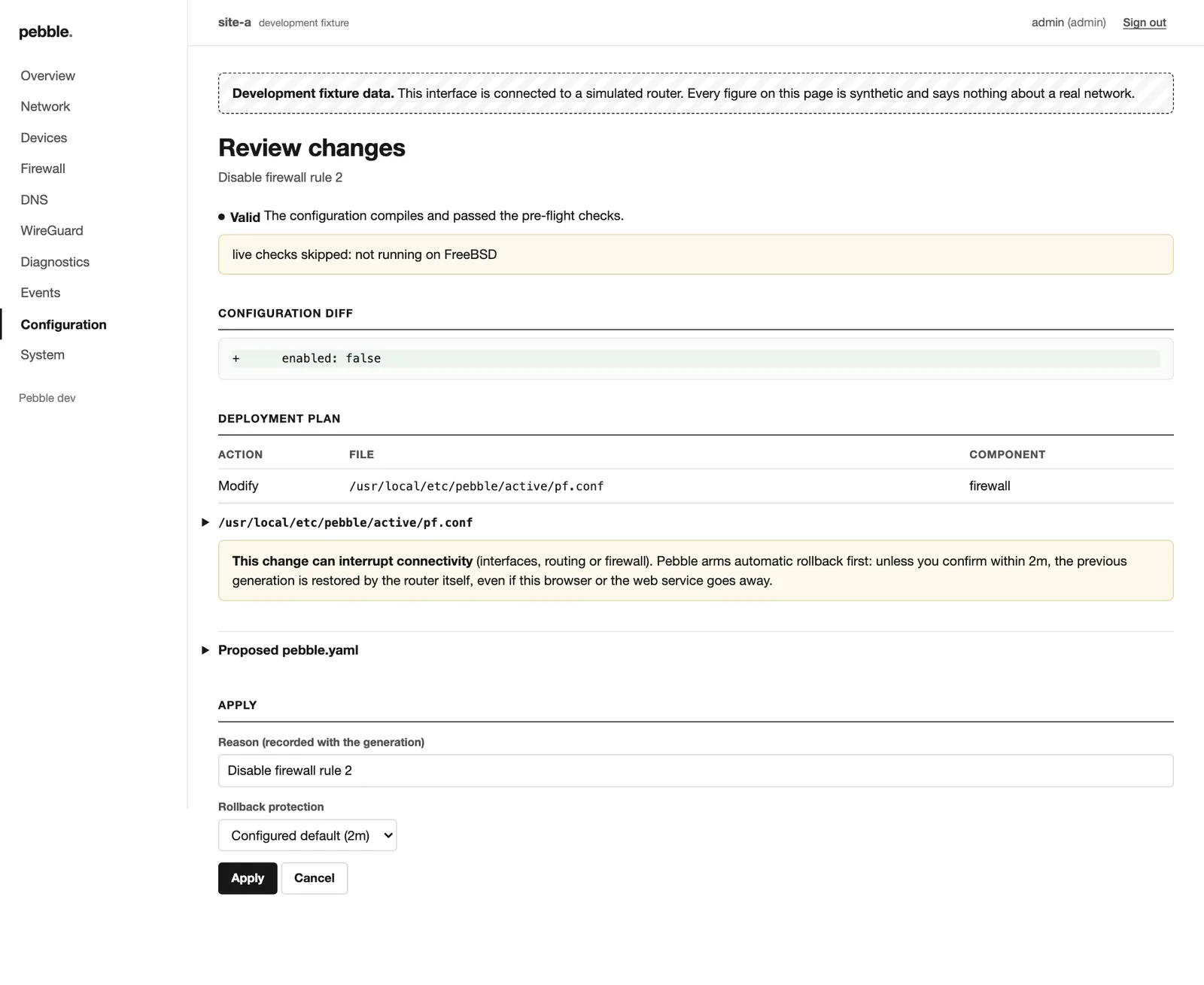
pebble.yaml, every generated file affected, and a warning when a change can interrupt connectivity.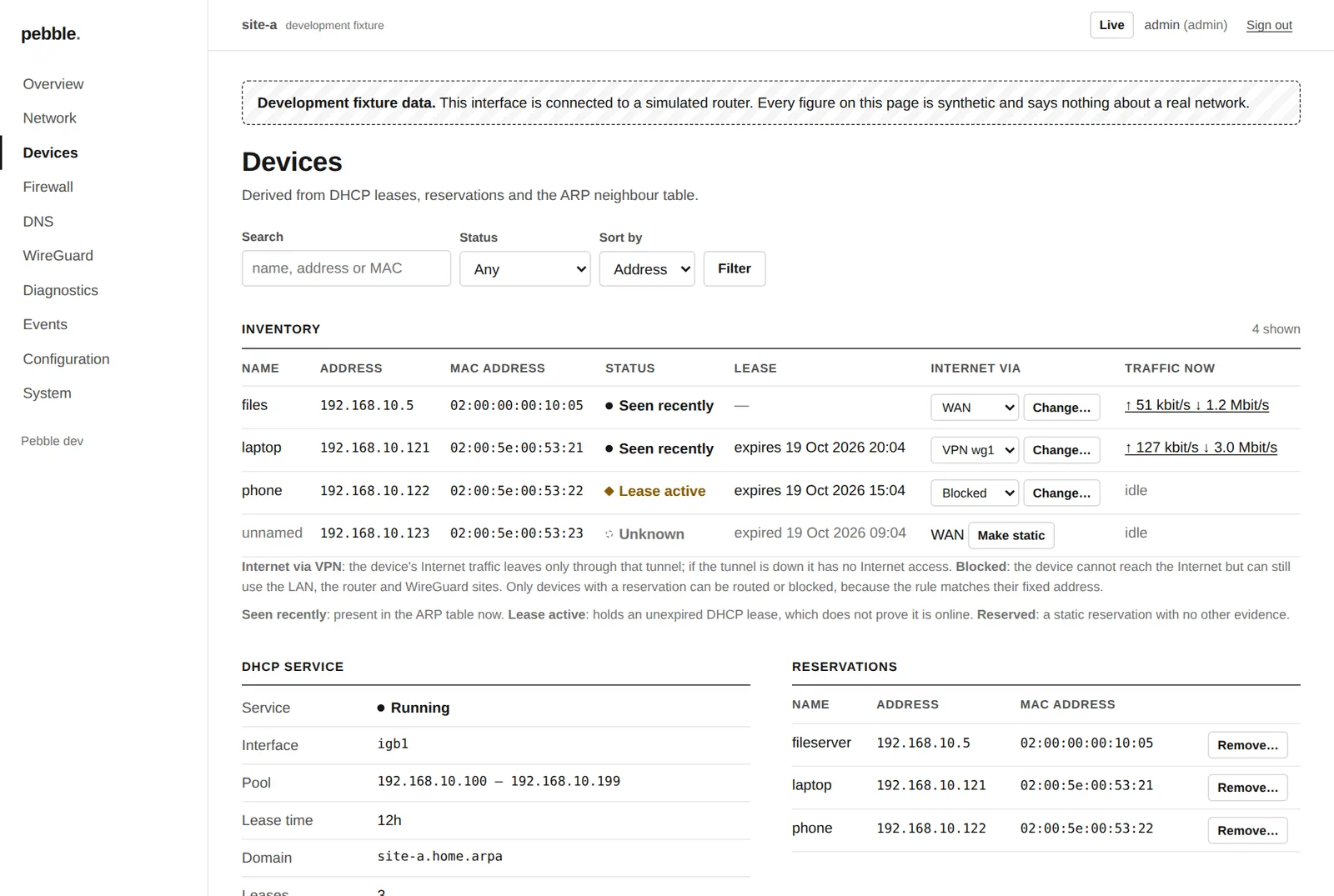
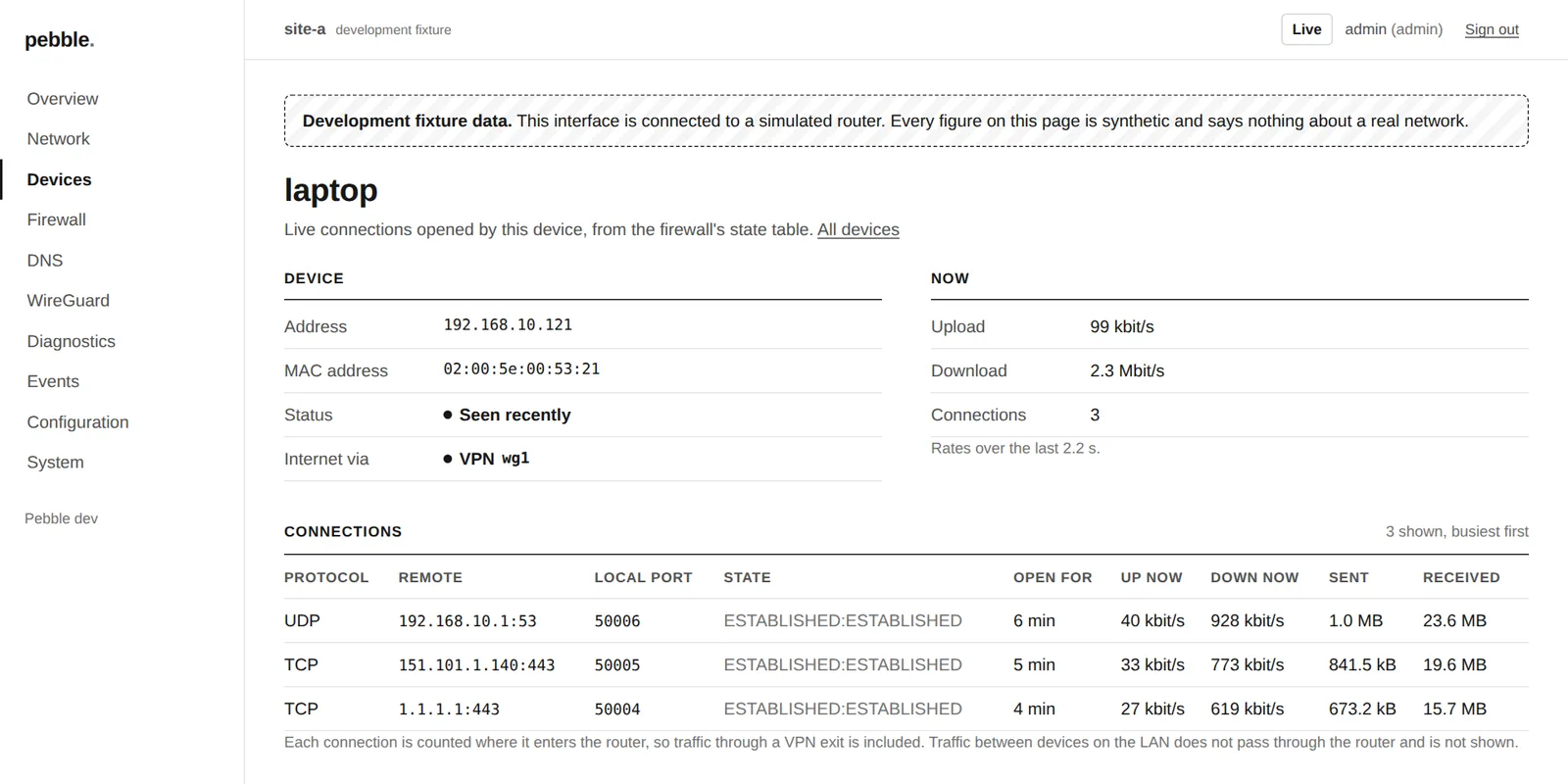
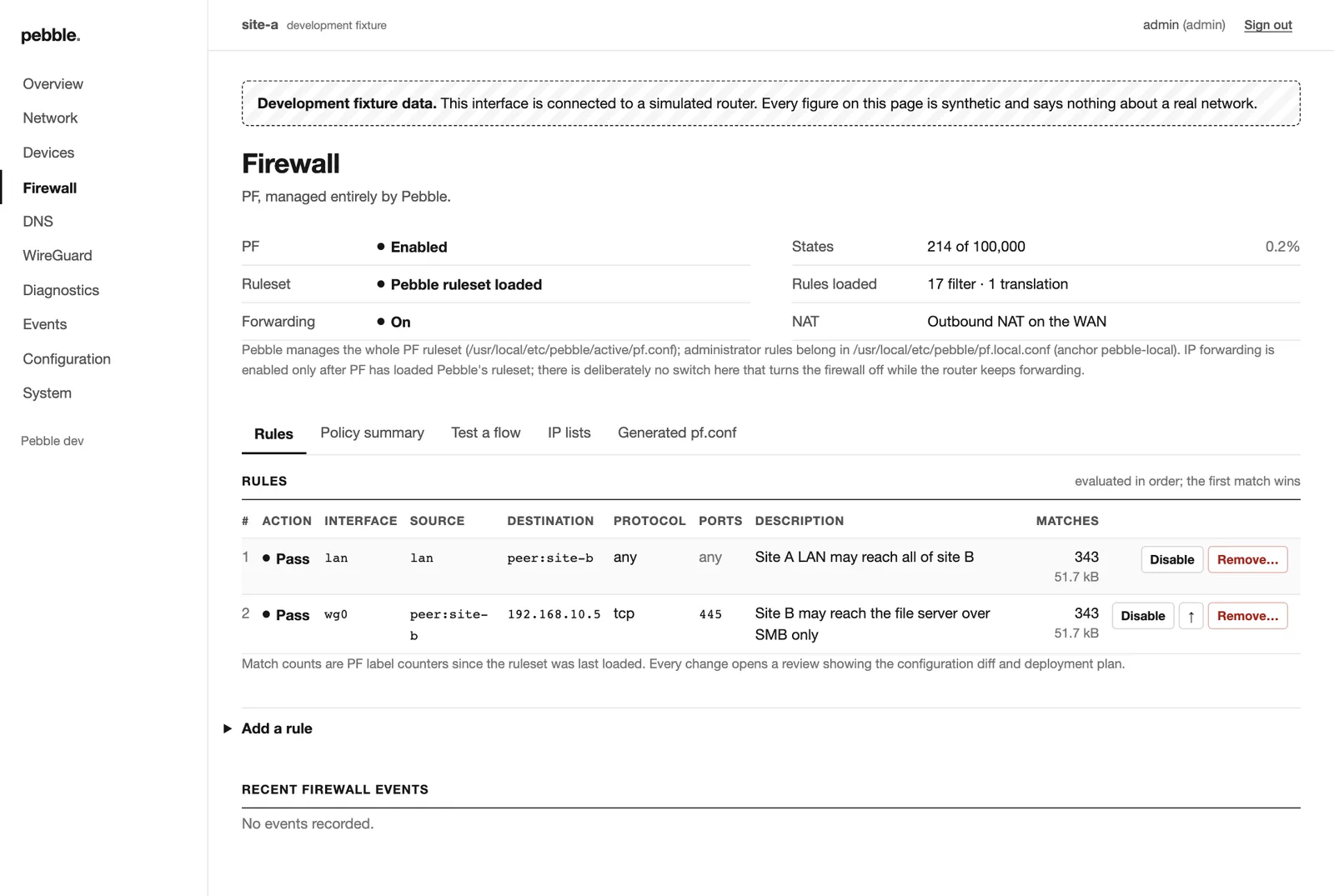
pf.conf. Disable, move or remove — each through review.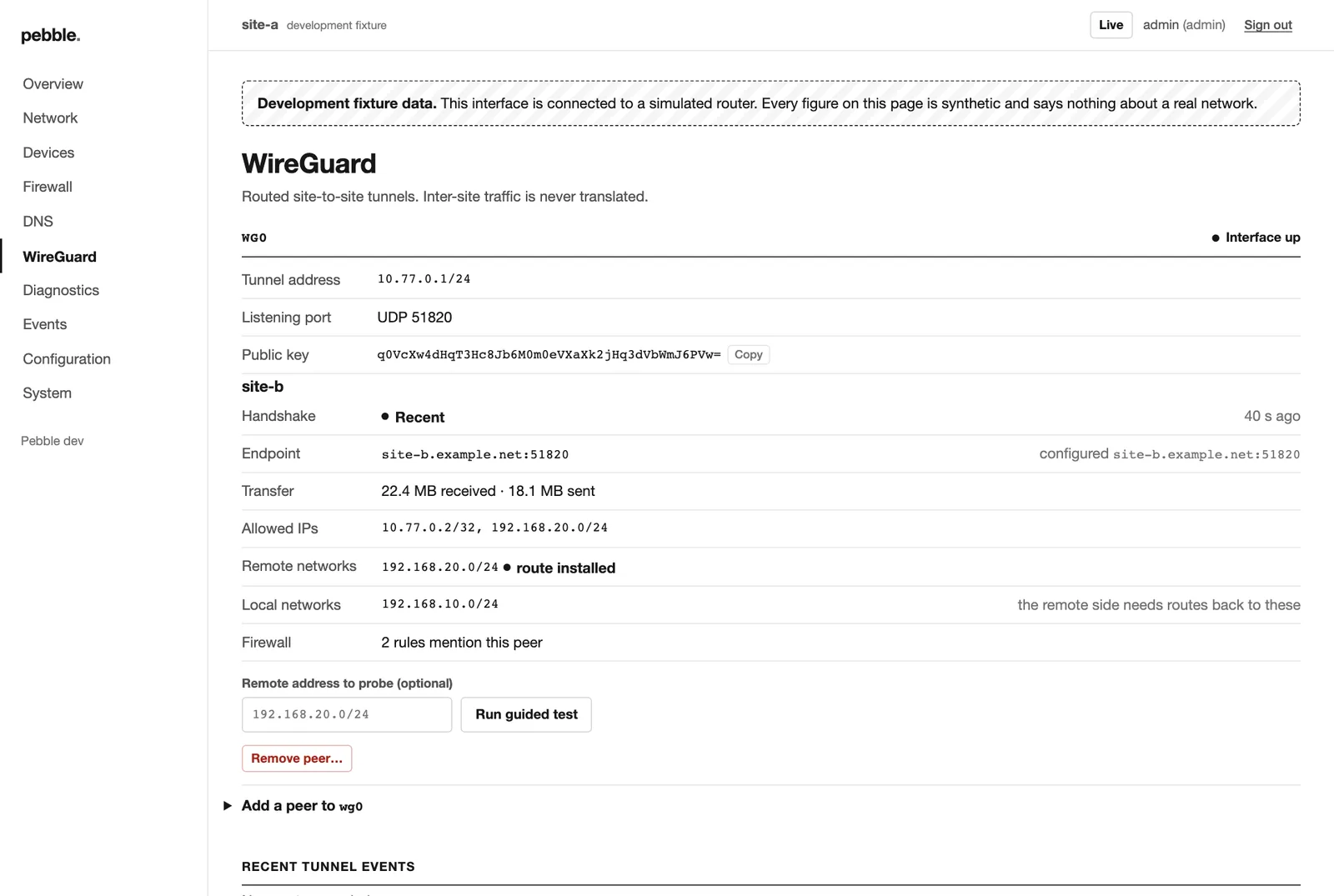
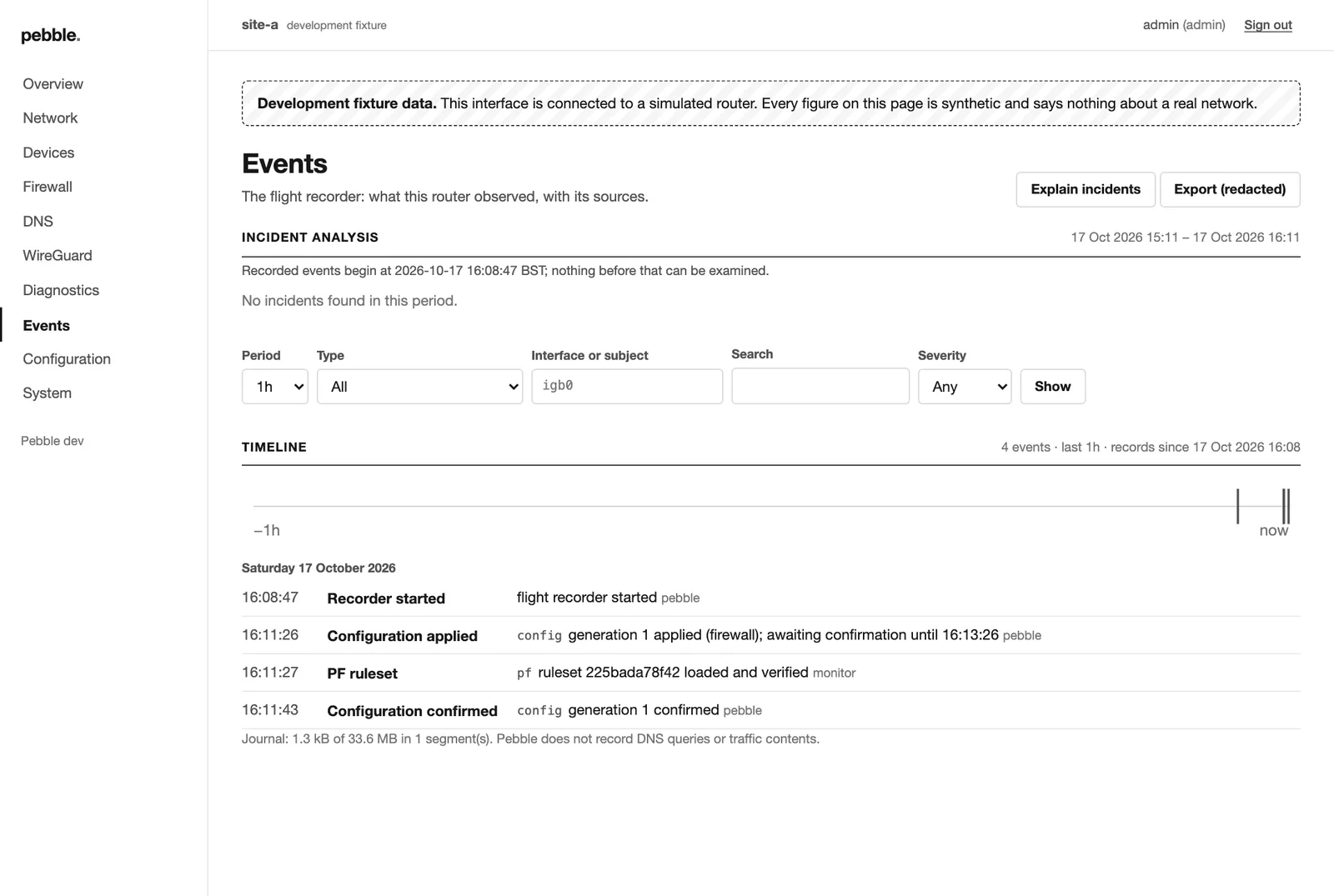
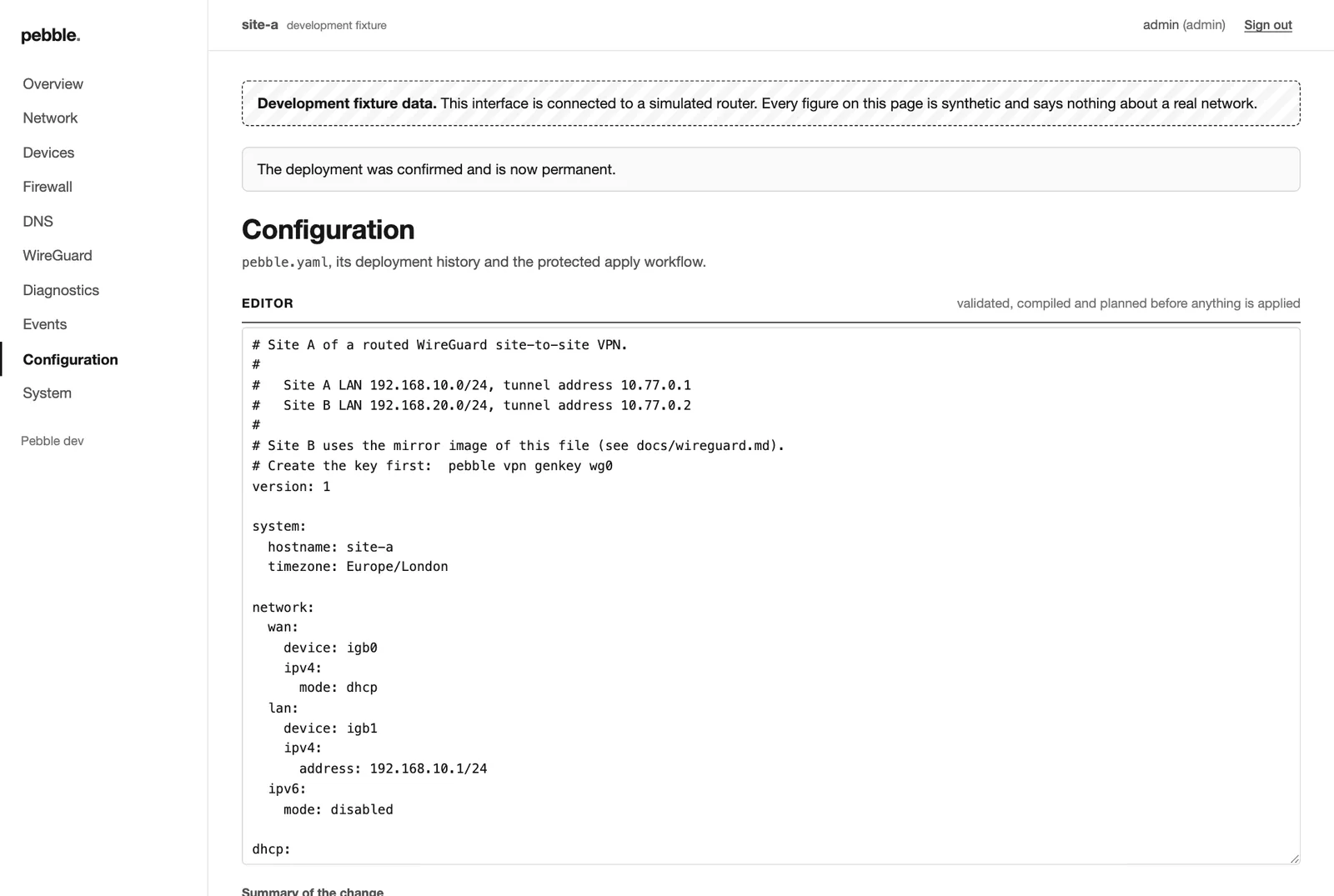
Screenshots are from Pebble running against a simulated router; every figure in them is synthetic.
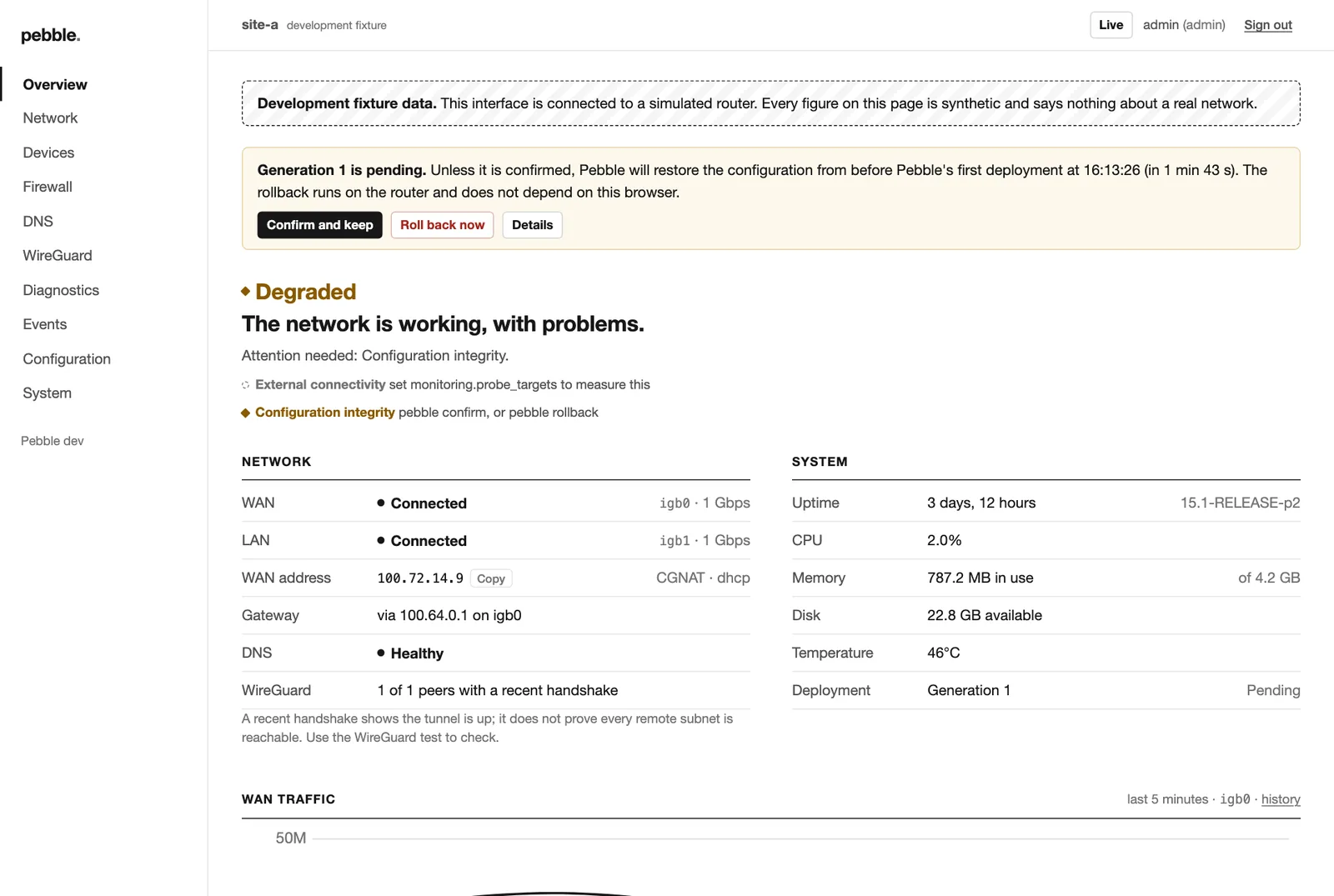
The safety net
The rollback timer runs on the router.
Not in your browser. Close the tab, lose Wi-Fi, drop your laptop in the bath: if you don't confirm, the router puts things back by itself.
- Validated before it's live
pfctl -n,unbound-checkconfanddnsmasq --testmust all agree first. - Generations are save points
pebble rollback --generation 3takes you straight back. The last five are kept. - Lock-out protectionPlans warn when a change would cut off the session you're using to make it.
- Survives the worstA crash or power cut mid-apply is resolved at boot, before networking starts — crash-injection tested in simulation.
New in 0.2
Every device gets a way out. Or doesn't.
One line on a DHCP reservation, or one dropdown in the web interface.
egress:Your normal connection. The default.egress: wg1Only through the tunnel, with its DNS. Kill switch included.egress: noneNo Internet. The LAN and router still work.Flight recorder
Why did the Internet die at 3 a.m.?
Switch on monitoring once. From then on, pebble explain outage reconstructs incidents from evidence — and is honest about how sure it is.
No packet capture. No DNS query logging. Storage capped at 32 MB.
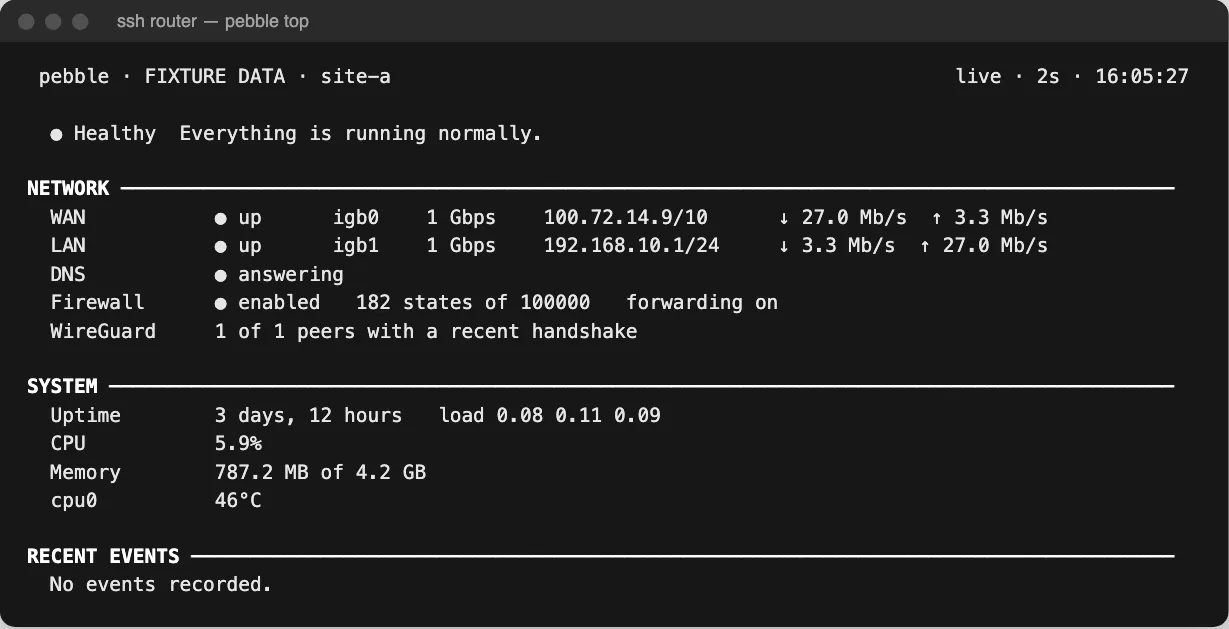
pebble top — a live dashboard over plain SSH. Press 1–4. Go on, it's fun.
Readable by humans
The whole router.
One screen.
A complete working home router — WAN, LAN, NAT, DHCP, DNSSEC, ad blocking and SSH from the LAN only — is a file you can read over a coffee. Every setting is documented, and every value is validated against what's safe in the target syntax.
network:
  wan:
    device: igb0          # the Internet side
    ipv4: { mode: dhcp }
  lan:
    device: igb1
    ipv4: { address: 192.168.10.1/24 }

dhcp:
  start: 192.168.10.100
  end: 192.168.10.199
  reservations:
    - { name: nas, mac: "02:00:5e:00:53:10", address: 192.168.10.20 }
    - { name: kids-tablet, mac: "02:00:5e:00:53:60",
        address: 192.168.10.60, egress: none }

dns:
  recursive: true         # straight to the root servers
  dnssec: true
  blocking: { enabled: true, denylist: [tiktok.com] }

firewall:
  default_inbound: deny
  default_forward: deny
  nat: { enabled: true, outbound: wan }
  port_forwards:
    - description: Web server on the NAS
      protocol: tcp
      external_port: "8443"
      target: 192.168.10.20
      target_port: "443"

recovery:
  rollback_timeout: 120s  # how long you get to confirm
Security by construction
Built like infrastructure,
because it is.
Every input is treated by how far it can be trusted — Internet traffic, blocklist feeds, DHCP host names and even your own log files are assumed hostile.
block all is rule one, rulesets swap atomically, and forwarding starts only after PF is up.pkg, when you ask.Honesty box
What's done, and what isn't.
No spin. Pebble's logic is heavily unit-tested and fuzzed, and its output is checked with the real tools — but it is new software.
A complete integration suite (VNET jails, real DHCP, NAT, DNS, WireGuard, rollback and SIGKILL recovery) is written and waiting for a disposable FreeBSD 15 VM. Until it has run there, treat Pebble as experimental: try it on spare hardware, not the only router between your family and Netflix.
| Area | Built & tested | On real FreeBSD |
|---|---|---|
| Schema, validation, compilation | Unit-tested & fuzzed | — |
| PF ruleset and policy | Flows unit-tested | Not yet loaded by pfctl |
| Unbound & dnsmasq config | Accepted by the real tools | Not yet run |
| Transactional apply & rollback | Crash-injection tested | Not yet exercised |
| WireGuard tunnels & VPN exits | Config & flows tested | No live tunnel yet |
| Web interface & agent | Tested in a browser | Not yet run |
Flight recorder & pebble top | Unit-tested | Not yet run |
| OPNsense importer | Fixtures & fuzzed | No real exports yet |
Know what you're getting
Small on purpose.
Pebble is
- One WAN (DHCP or static IPv4), one LAN, NAT and static routes
- A default-deny PF firewall with ordered rules and port forwards
- Recursive DNSSEC DNS, local names, ad and malware blocking
- Downloaded IP lists as PF tables (DoH servers, abuse lists)
- WireGuard site-to-site, and VPN exits for chosen devices
- Safe deployment with generations and automatic rollback
- Happy on a small thin client with two Ethernet ports
Pebble is not
- A firewall distribution, or a feature-for-feature OPNsense/pfSense rival
- A cloud service — no telemetry, database or account with anyone
- IPv6-capable yet (explicitly disabled and dropped in schema v1)
- Multi-WAN, VLAN trunks, PPPoE or a road-warrior VPN server
- An IDS, traffic shaper or captive portal
Get started
From a clean install
to a router in three commands.
An amd64 box with two Ethernet ports and FreeBSD 15.1. A Fujitsu FUTRO S930 thin client is the reference hardware; most mini PCs and VMs are fine.
Find your ports
Pebble never guesses which is WAN and which is LAN.
./pebble interfacesBootstrap
From the local console. Installs Unbound and dnsmasq, loads PF and wg(4), and applies.
./pebble bootstrap \
  --wan igb0 --lan igb1 \
  --lan-address 192.168.10.1/24 \
  --hostname pebble \
  --timezone Europe/London --apply
Confirm
Laptop on the LAN gets an address and can browse? Keep it.
pebble confirmQuestions
Frequently asked.
What happens if I delete the pebble binary?
Your router keeps routing, filtering and handing out addresses. Everything Pebble sets up is ordinary FreeBSD configuration — PF, Unbound, dnsmasq, wg(4) and rc.conf — started by FreeBSD's own rc.d scripts. Only boot recovery (which does nothing when no change is pending), the feed-refresh cron jobs and the optional agent and web interface use the binary.
What if a change locks me out?
Networking, firewall and WireGuard changes must be confirmed within the rollback window (two minutes by default; --rollback-after 5m for longer). If they aren't, a timer, a once-a-minute cron watchdog and a boot-time check each independently restore the previous configuration. Do your first deployment from the local console anyway.
Why FreeBSD?
PF, a kernel WireGuard implementation (wg(4)), wg(8) and drill(1) in the base system, a stable rc.d boot model and decades of use as a network operating system. Pebble leans on all of it rather than reinventing any of it.
Is it a replacement for OPNsense or pfSense?
No, and deliberately so. Pebble does one WAN, one LAN, IPv4, a default-deny firewall, DNS, DHCP and WireGuard, and tries to do them so plainly that you understand all of it. If you're moving from OPNsense, pebble import opnsense translates your config.xml and tells you honestly what didn't carry over.
Does it phone home?
No. There is no cloud service, telemetry, database or account. Pebble only makes network connections to download feeds you configure, and to run pkg when you ask it to check for updates. It never installs updates on its own.
Do I need the web interface?
No. It's optional and off by default, and routing never depends on it. Everything is available from the command line, including pebble top, a live dashboard that works over SSH.
Is it ready for production?
Not yet. The logic is heavily unit-tested and fuzzed and the generated configuration is checked with the real tools, but it hasn't yet been run end-to-end on FreeBSD. See the honesty box above, and try it on spare hardware first.
What licence is it under?
The GNU Affero General Public License, version 3 or later.
Open Pebble. Make a change.
Close Pebble.
The router carries on quietly doing its job.